Overview
GTA 6 AI Video turns a text prompt or one photo into a 5- or 10-second GTA 6-style clip in the browser. You pick one of eight prepared Vice City-style scenes, adjust who is in the shot, what happens, the camera, the time of day, the format (9:16, 16:9 or 1:1) and the length, or start from your own prompt; then sign in with Google and spend credits to render. Finished clips play in the page and download as 480p MP4 with generated sound and no watermark added by the site, and the page shows the prompt and settings used for the sample it plays. Building, editing and copying prompts, plus a small prompt library with the clip each prompt produced, are free and need no account, and there are guide pages for a fan trailer, a farewell montage and a loading-screen clip. New accounts start with 0 credits, so nothing renders without buying a pack: 100 credits for $9.99, 300 for $29.49 or 600 for $58.49, one-time, with a 5-second clip costing 15 credits and a 10-second clip 30. Uploaded photos are used as the first frame, and the site says they are sent to its AI video provider and deleted from its storage within 24 hours, and that uploads are not used to train AI models; generated clips are unlisted, so anyone with the link can open one. The site states plainly that it is a fan-made tool and not affiliated with Rockstar Games or Take-Two Interactive.
Key features
- Text-to-video and photo-to-video: a 5- or 10-second 480p MP4 with generated sound, from a prompt or from an uploaded photo used as the first frame
- Eight prepared Vice City-style scene presets (ocean-drive cruise, desert portrait, marsh airboat, sunset farewell and others) plus free-prompt mode
- Controls for who is in the shot, what happens, camera (trailer cinematic, third-person gameplay, phone-shot vertical), time of day (golden hour, night neon, midday, storm), format (9:16, 16:9, 1:1) and length (5 s / 10 s)
- A prompt library whose entries come with the clip each prompt produced, plus trailer, farewell, lap-dance and loading-screen guide pages
- Credit pricing shown before you generate: 15 credits for 5 seconds, 30 for 10 seconds, from a prompt or a photo
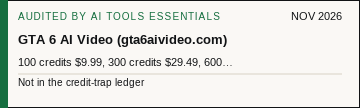
- One-time credit packs of 100 / 300 / 600 credits ($9.99 / $29.49 / $58.49) - no subscription and nothing renews - bought via Stripe after a Google sign-in
- MP4 download with no watermark added by the site, unlisted share links, and a Delete my account control on the account page
Trial checklist
['Before paying, build your prompt and copy it in the free builder - no account is needed for that, and the sample clips show what the eight scenes produce', 'Read the credit cost on the Generate button against the pack you are considering: 15 credits for 5 seconds and 30 for 10 seconds means the 100-credit pack is about six short renders', 'Confirm whether you need 480p: there is no higher resolution, no model choice and no clip longer than 10 seconds on this site', 'Decide about the sign-in before you start, because buying requires a Google account and there are no free renders to test with', 'Keep uploads to photos you have the right to use and expect a clip link that anyone holding it can open - treat the output as unlisted, not private', "If a render fails, check the credit history on the account page; the refund should be automatic, and the refund policy's 14-day window covers a pack you have not used"]
Use category-specific evidence
Artificial Analysis Video methodology [8] ↗ · Artificial Analysis methodology [5] ↗
Benchmark numbers are evidence for a specific task and configuration, not a universal product score. See benchmark policy →
Pricing
Current official summary: One-time credit packs only, no subscription: 100 credits $9.99, 300 credits $29.49, 600 credits $58.49 (USD, tax may be added at checkout). 5-second clip = 15 credits, 10-second clip = 30, from a text prompt or from an uploaded photo; work out to about $1.50 / $1.47 / $1.46 per 5-second render on the three packs. New accounts start with 0 credits and there are no free renders; prompt building and the prompt library are free and need no account. Failed renders returned to the balance automatically. Stripe checkout per SKU (credits-100/300/600) after a Google sign-in. Verified 2026-11-25 on the rendered /pricing and the homepage credit tables.
Submitted via form by vendor 2026-11-25 14:10 UTC (INBOX msg 338 / All Mail msg 789); editorial entry written independently. Submission fields: name 'GTA 6 AI Video', url https://gta6aivideo.com/, category 'Video' (verified and kept), summary describing a browser AI video generator making 5- or 10-second GTA 6-style clips from a prompt or a photo, pricing_url and docs_url blank, contact support@gta6aivideo.com - the site itself publishes contact@gta6aivideo.com on its Contact page, and the MX is Cloudflare Email Routing with a catch-all RCPT response, so the address accepts mail but the probe cannot confirm a human reads it. Independent verification 2026-11-25: homepage, /pricing, /privacy, /terms, /refund, /contact, /account, /llms.txt, /robots.txt and /sitemap.xml all fetched live; three credit packs with per-clip costs read from the rendered pages and cross-checked against the pricing markup, which carries data-gf-price keys and Stripe as the provider; sample clips confirmed as real MP4s on media.gta6aivideo.com (example-desert-portrait.mp4, 4,410,868 bytes). Domain registered 2026-11-19T06:06:51Z at Squarespace Domains II LLC, Cloudflare NS aiden/betty, MX Cloudflare Email Routing - the same registration day as the already-published GTA6 AI Video (gta6ai.video, Spaceship, NS derek/paige); whole-body text difflib is 0.020 on the homepages and 0.015 on the privacy pages, and the products differ (one-time packs versus subscriptions), so the two are recorded as separate operators and nothing is asserted about ownership. No legal entity, controller, postal address or governing-law clause appears on any page (whole-page sweep). The analytics script pvuv.ai loads on every fetched page and is not named in the privacy notice. No account created, no checkout started, no form submitted; hands_on_status stays not_tested.
Pricing changes often, verify current plans on the official site before buying. Dated snapshots: Pricing Watch.
Use cases
- Making a 5- or 10-second GTA 6-style vertical clip of yourself or a friend from a single photo while the launch trend is live
- Testing a prompt for free in the builder before deciding whether to spend credits on a render
- Producing a short trailer-style or farewell-style shot list by rendering one clip per shot from the site's own prompt library
- Making a square or widescreen version of the same idea by switching the format before paying
- Buying one pack for a one-off batch of clips rather than subscribing to a monthly video tool
- Checking the credit cost of a clip - and whether a failed render is refunded - before spending anything
Pros
- Live, concrete and priced rather than promised: three one-time packs, the per-clip credit cost printed on both the homepage and /pricing, and the two pages agree
- Checkout is configured, not just described - the pricing markup pins Stripe per SKU (credits-100, credits-300, credits-600) behind a Cloudflare Turnstile challenge, and the page handles the 'payment received' and 'still being confirmed' return states
- A real, product-specific legal set dated the day the domain was registered (2026-11-19) - Privacy, Terms, a Refund Policy and a dedicated Contact & Copyright page, not a pasted template
- The policies state retention with a period (uploaded photos deleted within 24 hours), give a training position in plain words ('Uploads are not used to train AI models'), and describe account deletion via a Delete my account button
- The acceptable-use section is specific: no sexual content involving minors or of real people, no impersonation or content presented as real news or official game footage, no harassment or real-world violence, and no illegal use
- Failed renders are returned to the balance automatically, stated in both the Terms and the pricing FAQ, with the history visible in the account's credit ledger
- The refund policy is specific rather than decorative: 14 days for an unused pack, a duplicate charge, credits that never arrived, or a broken generator; the unused share is refundable on request; a 3-business-day reply target is published
- Output terms are plain - you may download and share your clips, you stay responsible for how you use them, and the site tells users to label posts as AI-generated fan content
- Non-affiliation is disclosed in the vendor's own words ('Fan-made tool. Not affiliated with Rockstar Games or Take-Two Interactive.') and repeated in llms.txt, alongside a copyright/takedown route on the contact page
- Prompts, the prompt library and the sample clips are free and need no account, and the samples are real MP4s on the site's own media host (one is 4.4 MB)
Cons
- No company, legal entity, controller, postal address or governing-law clause appears on any page - the notices define the counterparty only as 'gta6aivideo.com' with contact@gta6aivideo.com, so there is no named party to contract with and no law or venue stated
- New accounts start with 0 credits and there are no free renders, and buying requires a Google sign-in, so nothing can be evaluated end to end before paying and a buyer without a Google account cannot buy at all
- Narrow output: 480p only, 5 or 10 seconds only, and eight prepared scenes - there is no resolution or duration control beyond that, and no model choice
- The AI video provider is never named - the policies say only 'our AI video provider' - so a buyer cannot tell which model renders the clip, where it runs, what it retains or on what licence, on a product whose whole input is a photo of a person
- The payment processor is not named in any policy either, although the pricing markup pins Stripe
- A third-party statistics script (pvuv.ai) loads on every page while the privacy notice describes 'anonymous statistics' without naming the vendor, and there is no consent banner on the fetched pages
- Generated clips are unlisted rather than private - anyone holding the link can open one - and the only removal path the policy describes is deleting the account or emailing the contact address
- Order records are kept 'as long as tax and accounting rules require' with no concrete period, and no cross-border transfer mechanism is described
- The residual trademark exposure sits with the buyer, not the site: the brand, the eight scenes and the product all rest on GTA 6 / Grand Theft Auto, whose marks belong to Rockstar Games/Take-Two, and the site tells users not to use official logos, music or character names but does not say what a user may call their own clip
- The name is nearly identical to the review already published here as GTA6 AI Video (gta6ai.video) - a different operator, separately drafted and on a different platform, but the two listings share a name, so check the domain before buying
- Six days old at verification (registered 2026-11-19, the day GTA 6 launched) with no independent reviews anywhere, an eight-page site and no blog
- No affiliate or partner page exists (/affiliates, /affiliate, /partners and /referral all 404)
Who GTA 6 AI Video (gta6aivideo.com) is for
GTA 6 AI Video (gta6aivideo.com) is aimed at teams and individuals who need creators who want a finished vertical gta 6-style clip from one photo or one prompt while the launch trend is live, without learning a general video editor: pick a prepared vice city-style scene, set the length, camera, time of day and format, sign in with google, and download an mp4 for a few dollars in one-time credits. it suits a single burst of clip-making rather than steady monthly output, because packs are one-time and nothing renews. not a fit if you want to try a render before paying (new accounts start at 0 credits and sign-in is required to buy), if you need more than 480p, longer than 10 seconds, or models other than the site's eight scenes, if google is not an acceptable sign-in, if you need a named company, postal address or governing-law clause to contract with, or if you intend to sell gta-branded video - the site disclaims rockstar/take-two affiliation and tells users not to use official logos, music or character names. It is designed for video workflows where output quality, adoption effort, and operating cost all matter. Compare alternatives first if you require self-hosting, unusually deep customization, or tighter policy controls than the official plan provides.
Buying decision
| Keep it when | Creators who want a finished vertical GTA 6-style clip from one photo or one prompt while the launch trend is live, without learning a general video editor: pick a prepared Vice City-style scene, set the length, camera, time of day and format, sign in with Google, and download an MP4 for a few dollars in one-time credits. It suits a single burst of clip-making rather than steady monthly output, because packs are one-time and nothing renews. Not a fit if you want to try a render before paying (new accounts start at 0 credits and sign-in is required to buy), if you need more than 480p, longer than 10 seconds, or models other than the site's eight scenes, if Google is not an acceptable sign-in, if you need a named company, postal address or governing-law clause to contract with, or if you intend to sell GTA-branded video - the site disclaims Rockstar/Take-Two affiliation and tells users not to use official logos, music or character names. is the job you repeat. |
|---|---|
| Test first when | No company, legal entity, controller, postal address or governing-law clause appears on any page - the notices define the counterparty only as 'gta6aivideo.com' with contact@gta6aivideo.com, so there is no named party to contract with and no law or venue stated. |
| Before you pay | Run the trial checklist and check the current plan limit on the official pricing page. |
Verdict
The call: GTA 6 AI Video (gta6aivideo.com). Live, concrete and priced rather than promised: three one-time packs, the per-clip credit cost printed on both the homepage and /pricing, and the two pages agree. Price this before you renew: no company, legal entity, controller, postal address or governing-law clause appears on any page - the notices define the counterparty only as 'gta6aivideo.com' with contact@gta6aivideo.com, so there is no named party to contract with and no law or venue stated.
Run one real task from your work this week. That tells you more than this review.
How GTA 6 AI Video (gta6aivideo.com) compares
In video, GTA 6 AI Video (gta6aivideo.com) sits next to Adobe Podcast, Descript, ElevenLabs and 23 others. The useful part is live, concrete and priced rather than promised: three one-time packs, the per-clip credit cost printed on both the homepage and /pricing, and the two pages agree. The part to price first is no company, legal entity, controller, postal address or governing-law clause appears on any page - the notices define the counterparty only as 'gta6aivideo.com' with contact@gta6aivideo.com, so there is no named party to contract with and no law or venue stated. Read the side-by-side before you pay for a second seat.
How we evaluated
We don't publish an editorial score until we have tested a tool hands-on, and we have not tested GTA 6 AI Video (gta6aivideo.com) yet. This review uses the vendor's published pricing and documentation, benchmark data where the exact model is identifiable, and the trial checklist above. See how we review, the evidence log, and our benchmark policy.
Frequently asked questions
What is GTA 6 AI Video?
A browser-based generator that makes 5- or 10-second GTA 6-style clips from a text prompt or from one uploaded photo used as the first frame. You choose one of eight prepared Vice City-style scenes or write your own prompt, set the camera, time of day, format and length, then sign in and spend credits to render. Finished clips download as 480p MP4 with generated sound. Building and copying prompts is free and needs no account.
How much does it cost?
One-time credit packs only, with no subscription: 100 credits for $9.99, 300 for $29.49 or 600 for $58.49 in USD. A 5-second clip costs 15 credits and a 10-second clip 30, from a prompt or from a photo, so a 5-second render is roughly $1.46-$1.50 depending on pack. New accounts start with 0 credits, so there is no free render, and failed renders are refunded to your balance automatically.
Is this an official GTA 6 tool?
No. The site states that it is a fan-made tool and is not affiliated with Rockstar Games or Take-Two Interactive, and it tells users not to use official logos, music or character names and to label posts as AI-generated fan content. The domain was registered on 2026-11-19, the day GTA 6 launched. The underlying video model is not named - the policies refer only to 'our AI video provider'.
What happens to my photo and my clips?
An uploaded photo becomes the first frame of the clip, is sent to the site's AI video provider, and the site says it is deleted from its storage within 24 hours and is not used to train AI models. Generated clips are unlisted, so anyone with the link can open one, and you can request deletion of your data or delete the whole account from the account page.
Can I get a refund?
Yes, within 14 days of purchase, if none of the pack's credits have been spent, if you were charged twice or bought the same pack by mistake, if you paid but the credits never arrived, or if the generator was broken in a way that stopped you using them. If part of a pack is used, the unused share can be refunded on request. Credits already spent on clips that rendered successfully are not refundable.
Cite or embed this audit
The badge links to this review. It is a dated price receipt, not a ranking and not a paid placement.