Overview
LayerGrab splits a flat image into editable, named layers with AI: upload or right-click an image, get each element (text, products, graphics) on its own transparent layer with the background filled in behind them, and export PNG, ZIP or a layered PSD. It works in the browser, a Chrome extension (listed on the Chrome Web Store), and - per its privacy page - Photoshop, Figma and Sketch plugins. The credit math is spelled out with worked examples on the pricing page (a 10-layer poster at 10 credits per layer on Basic costs $1.10). The gaps are identity and consumer paperwork: no company or jurisdiction is named anywhere, there is no refund policy page and no contact page, and the AI model doing the splitting is described only as 'our processing partner'.
Key features
- AI image-to-layers splitting with named, transparent layers and background fill-in
- PNG, ZIP and layered PSD export
- Chrome extension with right-click 'Split this image into layers' in the side panel
- Web app plus Photoshop, Figma and Sketch plugins (per its privacy page)
- Credit pricing with worked per-layer math on the pricing page
Trial checklist
['Run one real client image through the free credits before paying - edge quality on hair and shadows is the differentiator', 'Check the FAQ for the pack-expiry rule before buying a $60 bulk pack', 'Test the Chrome extension on a real web image if that is the workflow you want', 'Keep your own copies of outputs - there is no refund policy to fall back on']
Use category-specific evidence
Artificial Analysis Image methodology [7] ↗ · Artificial Analysis methodology [5] ↗
Benchmark numbers are evidence for a specific task and configuration, not a universal product score. See benchmark policy →
Pricing
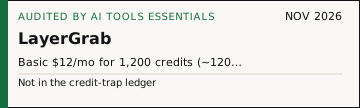
Current official summary: Subscriptions: Basic $12/mo for 1,200 credits (~120 layers), Premium $36/mo for 3,600 credits (~450 layers), yearly saves 31%. One-time packs: $20/1,800 credits, $60/6,600 credits (pack credits expire per FAQ). 10 credits/layer on Basic, 8 on Premium. Checked 2026-11-02 on https://layergrab.com/pricing (worked cost examples on-page).
Submitted via form 2026-10-31 05:55 UTC (contact BlaiseZiemehudfv@hotmail.com; site publishes contact@layergrab.com mailto, MX = Cloudflare Email Routing). Editorial entry written independently from live pages. Chrome Web Store extension verified live (cfkdlnfbbdbihhpbmciigdpbbpeinapa). Privacy names Google sign-in + Chrome Limited Use; uploads 'not sold, not used to train our own models'; the AI model partner is unnamed ('our processing partner'). No entity/jurisdiction/refund page/contact page. Registered 2026-09-27 (Cloudflare registrar); NS eric/reza - not the s07811005141 cluster pair (damon/violet); img2layers.org was unreachable for a text-similarity check, so no cluster claim is made.
Pricing changes often — verify current plans on the official site before buying. Dated snapshots: Pricing Watch.
Use cases
- Pulling a product off a flat photo for an ecommerce listing without re-shooting
- Extracting text or graphic elements from posters and banners as transparent PNGs
- Converting a JPG/PNG into a layered PSD for further editing
- Grabbing elements off any web image via the Chrome side panel
Pros
- The pricing page shows real arithmetic - each plan states credits, approximate layers, and a worked 'what a split costs' example, so cost per job is calculable before signup
- Both subscription and one-time pack routes exist, so occasional users are not forced into a monthly plan
- A published Chrome Web Store extension with real install surface, plus Photoshop/Figma/Sketch plugin claims - more verifiable footprint than similar micro-sites
- Privacy page is specific about Google sign-in data and Chrome Web Store Limited Use compliance, and states uploads are not sold and not used to train its own models
Cons
- No operator identity anywhere: no company, individual, jurisdiction or governing law in the short terms page, and no postal address
- No refund policy page (the URL 404s) and no contact page - the only published route is a mailto in the footer
- The AI model provider is unnamed ('our processing partner'), so image-handling terms beyond LayerGrab itself cannot be assessed
- Pack credits expire (per its own FAQ note) while the cadence rules live across several pages - read the FAQ before buying a bulk pack
- Its image-to-layers concept is shared by several held or low-quality entrants; this one distinguishes itself with a real extension and named-data handling, but the space is crowded
Who LayerGrab is for
LayerGrab is aimed at teams and individuals who need designers, ecommerce sellers and social-media editors who need to pull one element off a flat image - a product, a poster's text, a sticker - as a clean transparent layer without opening desktop software. the chrome extension (right-click any image on the web) is the fastest version of the job. not a fit for anyone who needs a named company and a refund policy before paying, or for bulk api automation (no developer api is offered). It is designed for creative workflows where output quality, adoption effort, and operating cost all matter. Compare alternatives first if you require self-hosting, unusually deep customization, or tighter policy controls than the official plan provides.
Buying decision
| Keep it when | Designers, ecommerce sellers and social-media editors who need to pull one element off a flat image - a product, a poster's text, a sticker - as a clean transparent layer without opening desktop software. The Chrome extension (right-click any image on the web) is the fastest version of the job. Not a fit for anyone who needs a named company and a refund policy before paying, or for bulk API automation (no developer API is offered). is the job you repeat. |
|---|---|
| Test first when | No operator identity anywhere: no company, individual, jurisdiction or governing law in the short terms page, and no postal address. |
| Before you pay | Run the trial checklist and check the current plan limit on the official pricing page. |
Verdict
The call: LayerGrab has an AIToolsEssentials editorial score of 3.8/5. The pricing page shows real arithmetic - each plan states credits, approximate layers, and a worked 'what a split costs' example, so cost per job is calculable before signup. Price this before you renew: no operator identity anywhere: no company, individual, jurisdiction or governing law in the short terms page, and no postal address.
Run one real task from your work this week. That tells you more than this review.
How LayerGrab compares
In creative, LayerGrab sits next to Adobe Firefly, AIBase, BeadPattern and 16 others. The useful part is the pricing page shows real arithmetic - each plan states credits, approximate layers, and a worked 'what a split costs' example, so cost per job is calculable before signup. The part to price first is no operator identity anywhere: no company, individual, jurisdiction or governing law in the short terms page, and no postal address. Read the side-by-side before you pay for a second seat.
How we evaluated
The AIToolsEssentials rating is an editorial score—not an external benchmark. It summarizes job fit, likely output quality, ease of adoption, and operational cost using published product information, benchmark context where the exact model is identifiable, and the repeatable trial checklist above. Benchmarks never determine the final product rating by themselves. See our editorial methodology, evidence ledger, and benchmark evidence policy.
Frequently asked questions
What does a LayerGrab split cost?
Each split costs 10 credits on the Basic plan ($12/month for 1,200 credits) and 8 credits on Premium ($36/month for 3,600 credits) - about $0.10 and $0.08 per credit respectively. One-time packs run $20 for 1,800 credits and $60 for 6,600.
Does LayerGrab keep or train on my images?
Its privacy page says images are sent to 'an AI model operated by our processing partner' to be split, and that uploads are not sold and not used to train its own models. The partner is not named and no retention period is stated, so sensitive client work deserves caution.
Is there a free option?
The homepage advertises freemium access (free credits to try the splitter); paid plans start at $12/month and one-time packs at $20.
Cite or embed this audit
The badge links to this review. It is a dated price receipt, not a ranking and not a paid placement.