Overview
A flexible automation platform for technical teams that want deeper workflow control and self-hosting options.
Key features
- Open source — self-host for unlimited runs at zero cost
- Code steps in JavaScript/Python when nodes aren't enough
- Advanced logic: loops, error branches, sub-workflows
- 400+ integrations plus generic HTTP node
- AI agent nodes with LangChain support
Trial checklist
Use a real task involving internal automations—not a demo prompt. Verify whether open source — self-host for unlimited runs at zero cost materially reduces editing or setup time. Record output quality, time to a publishable result, and total plan usage. Pay particular attention to more technical setup so factor that into your monthly budget. Repeat the same task in at least one alternative before deciding.
Pricing
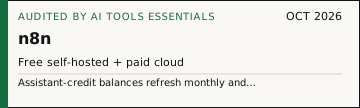
Current official summary: Starter: €20/month billed annually for 2,500 workflow executions with unlimited steps and 1,600 Assistant credits/month. Pro: €50/month billed annually for 10,000 executions with either 4,000 or up to 9,600 Assistant credits/month depending on plan size. Business: €667/month billed annually for 40,000 executions, self-hosted. Enterprise: custom. Free trials include 800 Assistant credits plus 100 AI credits that expire when the trial ends. Assistant-credit balances refresh monthly and unused credits do not roll over; additional AI credits cannot currently be purchased. The page advertises saving 17% on annual billing.
Open verification questions
- The no-training commitment is expressly limited to AI models operated by n8n; third-party LLM treatment depends on the provider selected by the customer.
- The official terms qualify output ownership with 'to the extent permitted by applicable law' and do not promise uniqueness, copyrightability, or non-infringement.
- The retrieved pricing page distinguishes Assistant credits from model-provider usage; customer-built workflows calling external LLMs may incur separate provider charges.
- Assistant and Agents features are labelled preview on the official pricing page and their allowances can change.
Official documentation says n8n workflows can connect providers including OpenAI, Anthropic, and Google, add tools and memory, and combine models. n8n's AI Terms, last updated March 20, 2026, say n8n will not use Customer Data to train n8n-operated AI models, retain it beyond immediate AI processing, or share it except as needed to deliver customer-configured AI features. Usage Data may be used to improve services only when it does not contain Customer Data or identify the customer or users. Customer-configured third-party model providers receive data under their own terms. As between n8n and the customer, the customer owns AI Output to the extent permitted by law; n8n receives a limited operational license and will not use AI Output to train n8n-operated AI models. Re-verified 2026-10-01: the published cloud allowances changed from the 2026-08-25 record. Starter now lists 1,600 Assistant credits/month (recorded as 2,300 AI credits) and Pro lists 4,000 or up to 9,600 (recorded as 5,700 or up to 13,700). Free trials are listed as 800 Assistant credits plus 100 AI credits. Execution counts and euro plan prices are unchanged.
Pricing changes often — verify current plans on the official site before buying. Dated snapshots: Pricing Watch.
Use cases
- Internal automations
- AI agents
- Data workflows
- Self-hosted workflows
- Syncing form responses into a CRM automatically
- Routing support tickets by topic and urgency
Pros
- Highly flexible
- Self-host option
- Developer-friendly
Cons
- More technical setup
- Governance and maintenance required
Who n8n is for
n8n is aimed at teams and individuals who need technical workflow automation with self-hosting and ai agent options. It is designed for automation workflows where output quality, adoption effort, and operating cost all matter. Compare alternatives first if you require self-hosting, unusually deep customization, or tighter policy controls than the official plan provides.
Buying decision
| Keep it when | Technical workflow automation with self-hosting and AI agent options is the job you repeat. |
|---|---|
| Test first when | More technical setup. |
| Before you pay | Run the trial checklist and check the current plan limit on the official pricing page. |
Verdict
The call: n8n has an AIToolsEssentials editorial score of 4.3/5. Highly flexible. Price this before you renew: more technical setup.
Run one real task from your work this week. That tells you more than this review.
How n8n compares
In automation, n8n sits next to Browse AI, Make, Whop CLI and 1 others. The useful part is highly flexible. The part to price first is more technical setup. Read the side-by-side before you pay for a second seat.
How we evaluated
The AIToolsEssentials rating is an editorial score—not an external benchmark. It summarizes job fit, likely output quality, ease of adoption, and operational cost using published product information, benchmark context where the exact model is identifiable, and the repeatable trial checklist above. Benchmarks never determine the final product rating by themselves. See our editorial methodology, evidence ledger, and benchmark evidence policy.
Frequently asked questions
Is n8n really free?
See the official pricing summary and source links above. Plan names, limits, and regional prices can change.
n8n vs Make?
n8n for technical control and self-hosting; Make for easier visual building. See our automation tools comparison.
Can n8n run AI agents?
Yes — native LangChain-powered agent nodes with tool calling.
Cite or embed this audit
The badge links to this review. It is a dated price receipt, not a ranking and not a paid placement.